
Scouting Opportunities
7:49 minGrow Your Book
Turn the book you imported into repeat business, without doing it by hand.
What You Will Learn
See the Opportunity You Already Hold
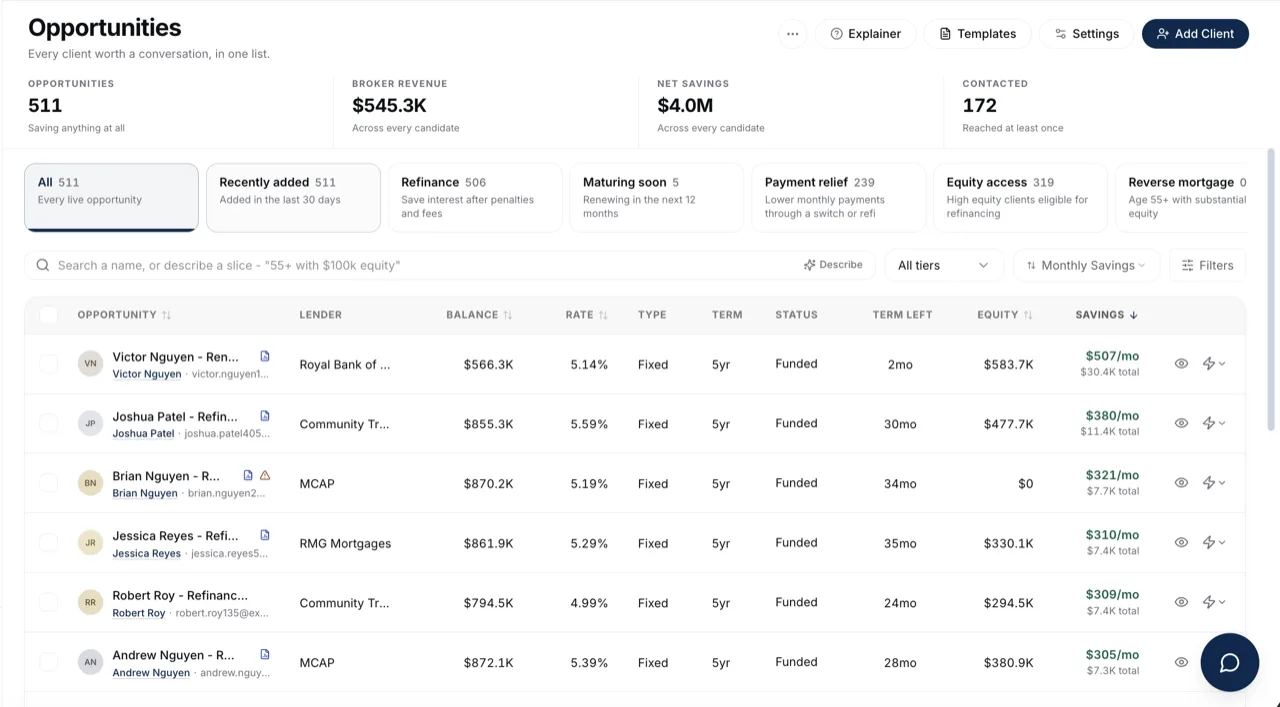
Find the clients in your book who are ready to refinance or renew, before they go looking somewhere else.
Follow Up Without Remembering To
Build the automations that reach out on a schedule, so a maturity date never passes quietly.
Show a Client What Their Home Is Worth
Send an equity report that gives an owner a reason to call you back between deals.
Your Checklist for This Stage
Watch the recording, then work through the rest in BrokerPlus and tick each one off. Every step links to a guide if you want the detail.
Watch the Stage Recording
On the plate above, covering the whole stage. This one ticks itself when the recording ends.
Understand Opportunities
See how the mortgages already in your book become refinance and renewal candidates.
Review a Candidate
Open one client's workspace and read what the estimate rests on before you pick up the phone.
Create an Equity Report
Build a report on a client's property, clear its flags, and preview what they will open.
Schedule Recurring Equity Reports
Put a report on a cadence so an owner hears from you between deals without you remembering to send it.
Learn What Pulse Does
Understand the automations hub, and what it will never send without you, before you build anything in it.
Turn On a Starter Automation
Open one of the automations already sitting on your board, put your own wording on it, and switch it on.
Build Your First Automation
Create one end to end, from the moment that starts it to the switch that turns it on.
Review the Pulse Queue
Approve, edit or clear the messages an automation has drafted, so nothing reaches a client unread.
Start Here
Watch the Stage Recording0 of 9 steps done in this stage.
Go Deeper
This stage touches the sections below. Each one holds the full reference, for when you need more than the checklist.