
Contacts and Your CRM
8:07 minBring In Your Book
Import the mortgages you already hold, and get your contacts in order.
What You Will Learn
Import Without Losing Anything
Bring deals in from a spreadsheet or from Finmo, check the mapping, and confirm only once the analysis reads correctly.
Make Your Contacts Findable
Group, tag and filter the people you just imported, so you can pull up a segment in seconds rather than scrolling for it.
Read One Client's Whole History
Open a contact and see every deal, document, message and property held against that person in one record.
Your Checklist for This Stage
Watch the recording, then work through the rest in BrokerPlus and tick each one off. Every step links to a guide if you want the detail.
Watch the Stage Recording
On the plate above, covering the whole stage. This one ticks itself when the recording ends.
Import Your Book From a Spreadsheet
Upload a CSV or Excel export, read the review screen, and create the deals only once the analysis looks right.
Bring Your Book Across From Velocity or Finmo
Connect the rail you already originate on and pull those deals in, rather than exporting them by hand.
Review and Fix Your Import
Find your import history, read why a row was skipped, and run the file again without creating duplicates.
Tour the Contacts Page
Learn what the five segments count and what the toolbar offers before you start working the book.
Find a Contact With Filters
Search the whole book, narrow it with the filters panel, and share the exact view by link.
Organize Contacts With Tags
Create coloured tags and apply them to a whole selection, so a group you care about is one filter away.
Merge Duplicate Contacts
Work the duplicate sets BrokerPlus found and keep the right record, because a merge cannot be undone.
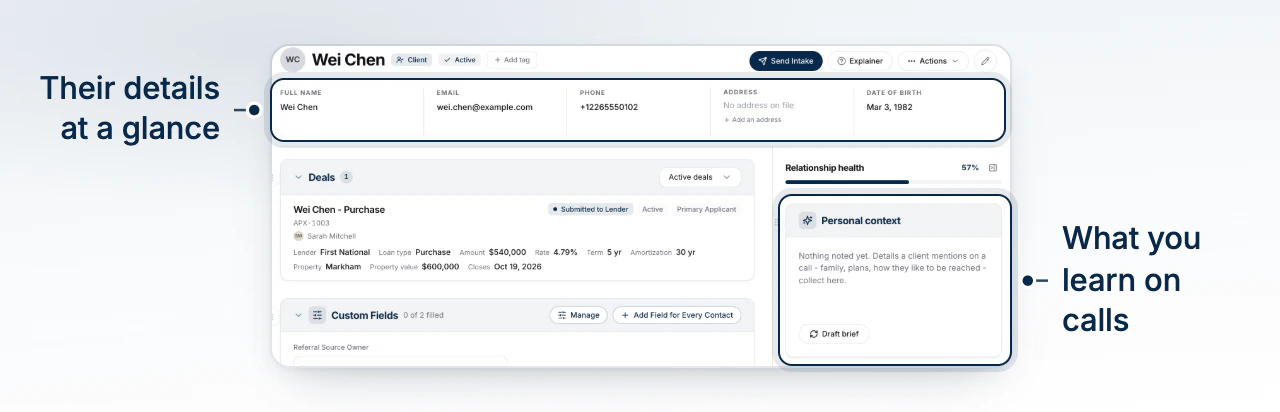
Tour the Contact Profile
Open one client and read every deal, document, message and property held against them in one record.
Start Here
Watch the Stage Recording0 of 9 steps done in this stage.
Go Deeper
This stage touches the sections below. Each one holds the full reference, for when you need more than the checklist.