
This screen is the first thing you see after creating your account, before the setup wizard. Three steps run across the top: pick your plan, book your onboarding call, then pick up two guides.
The Three Steps on the Start Screen
You cannot get past this screen without paying, and BrokerPlus holds you to it: leave before you finish and reaching your dashboard sends you straight back here. Once you have paid, the second step books your onboarding call, and the third hands you two guides to read before the setup wizard opens.
Choosing Annual or Monthly
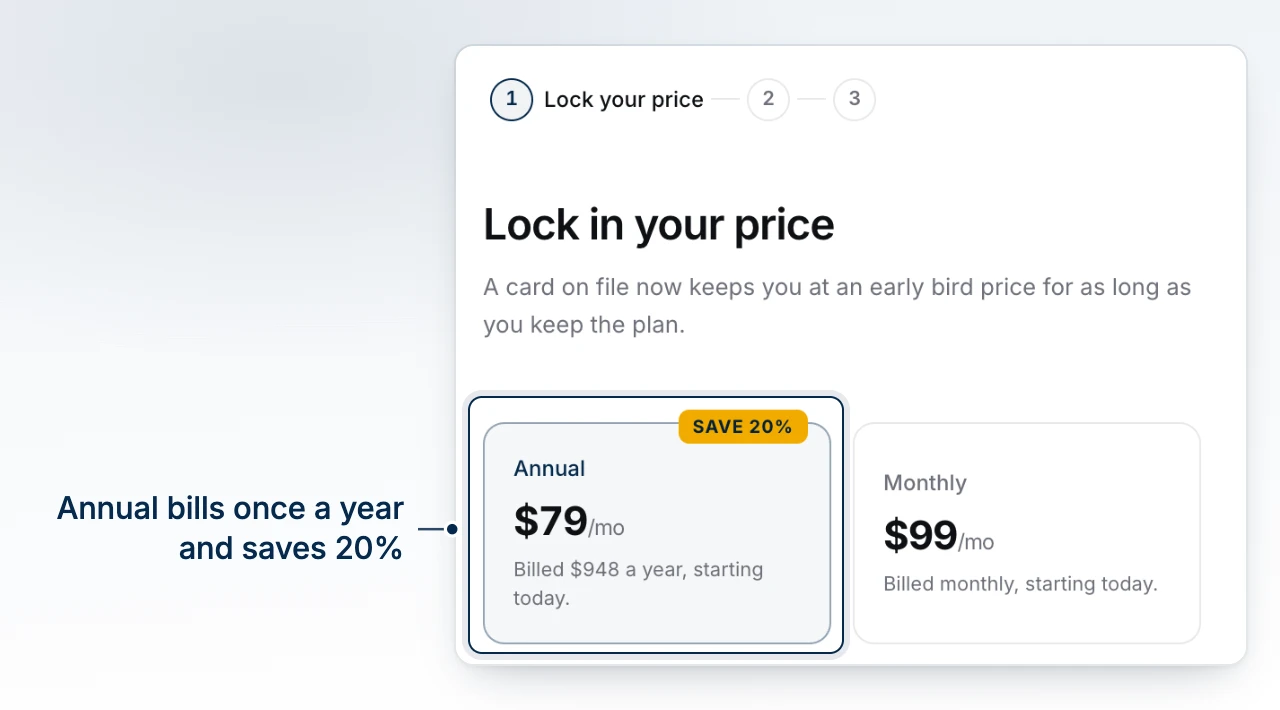
Choose Annual or Monthly. Annual carries a savings badge and is billed as one total for the year, starting today; Monthly is billed today, then again on the same day each period. Either way, tax is added at checkout, there are no per-file, per-client or per-upload charges on top, and you can cancel any time.
Early Bird, Partner Pricing and VIP Support
While early bird pricing is open, the price you see here is what you keep for as long as you stay subscribed, even after the price on this same screen rises for everyone who signs up later. If you signed up through a brokerage's own BrokerPlus address, your price can instead follow that partner's own rate; it is stamped to your workspace at signup and stays with you even if you come back through the standard site afterward.
Where VIP support is offered, it is an optional one-time add-on beside your plan, not a different plan: as many training sessions as your team wants whenever someone new joins, a follow-up you describe and BrokerPlus builds for you, room held every week for VIP calls so your requests are flagged the moment they land, and a seat in the VIP community with an early look at what is coming next.
Booking the Onboarding Call, or Saying You Already Have One
Once you have paid, pick a time for an hour with the BrokerPlus team, screen shared, covering your book import, your lenders, business line and branding, and your first moves on your own numbers. There is nothing to prepare beforehand; anything you set up before the call, the team picks up from there. If you signed up through your brokerage's own address and it runs its own onboarding calendar, that calendar opens here automatically instead of the standard one. Already have a call on the books? Select I already have an onboarding call instead of booking a second one.
The Two Guides
Booking your call opens two short guides: one on moving your existing book into BrokerPlus out of your current CRM, and one with nine short videos walking your first steps, in order, import through phone. Keep them open next to you: the setup wizard that follows walks the same steps, and your onboarding call picks up wherever you get to first.
Starting the Setup Wizard
Select Start Setup to leave this screen for the setup wizard, which walks the same ground the guides cover in more depth.
What to Do Next
- What the Setup Wizard Covers is what opens next.
- Create Your BrokerPlus Account if you landed here from somewhere else.
- Manage Your Subscription once you want to change plan or billing later.