
Every BrokerPlus workspace starts the same way: sign up and you get an organization, a team and a board of your own. Whether that organization is a solo workspace or a brokerage comes down to one thing, and it is not how many people are in it.
What a Solo Workspace Gives You
Sign up on your own and you land in a solo workspace. You are its only admin, your book is your own, and every setting you touch (billing, branding, compliance) belongs to you alone. Adding an assistant or an underwriter to help work deals does not turn a solo workspace into a brokerage; user count is never the test.
What a Brokerage Workspace Adds
A brokerage workspace assumes a principal broker running one or more teams of agents. It adds oversight surfaces under Brokerage: activity across every team, a firm-wide revenue view, a shared team phone line, and one AML compliance program covering the whole book rather than a single broker's file.
How a Brokerage Workspace Is Set Up
Becoming a brokerage is not a setting you flip yourself. BrokerPlus issues a one-time brokerage setup link, and signing up through it creates the organization already marked as a brokerage: it names the brokerage rather than the signer and carries the seat pricing that link was built with. Ask BrokerPlus for a setup link to move an existing solo workspace onto a brokerage plan.
Principals, Agents and Compliance Reviewers
Brokerage authority runs on two separate questions. Brokerage-wide oversight (team management, billing, org settings, revenue) belongs to the admin role, held by the principal broker. What a person does day to day comes from their team role instead: a team's own broker owns its licence and its pipeline, while an assistant or underwriter works alongside them without reaching the rest of the brokerage. A compliance reviewer signs off on FINTRAC cases without needing the admin role's access to compensation and revenue.
How to Tell Which One You Are In
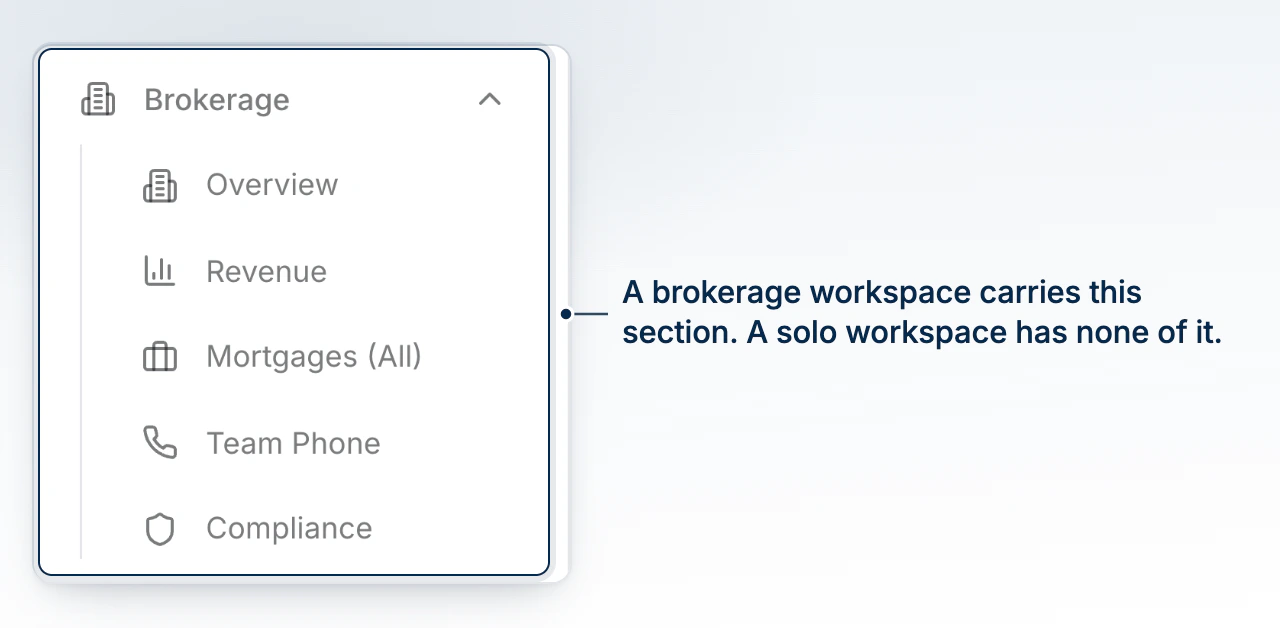
The plainest tell is the sidebar: a brokerage workspace carries a Brokerage section with Overview, Revenue, Mortgages, Team Phone and Compliance. A solo workspace has none of it, and its Brokerage page simply is not there to open.
What Changes on Your Checklist and Sidebar
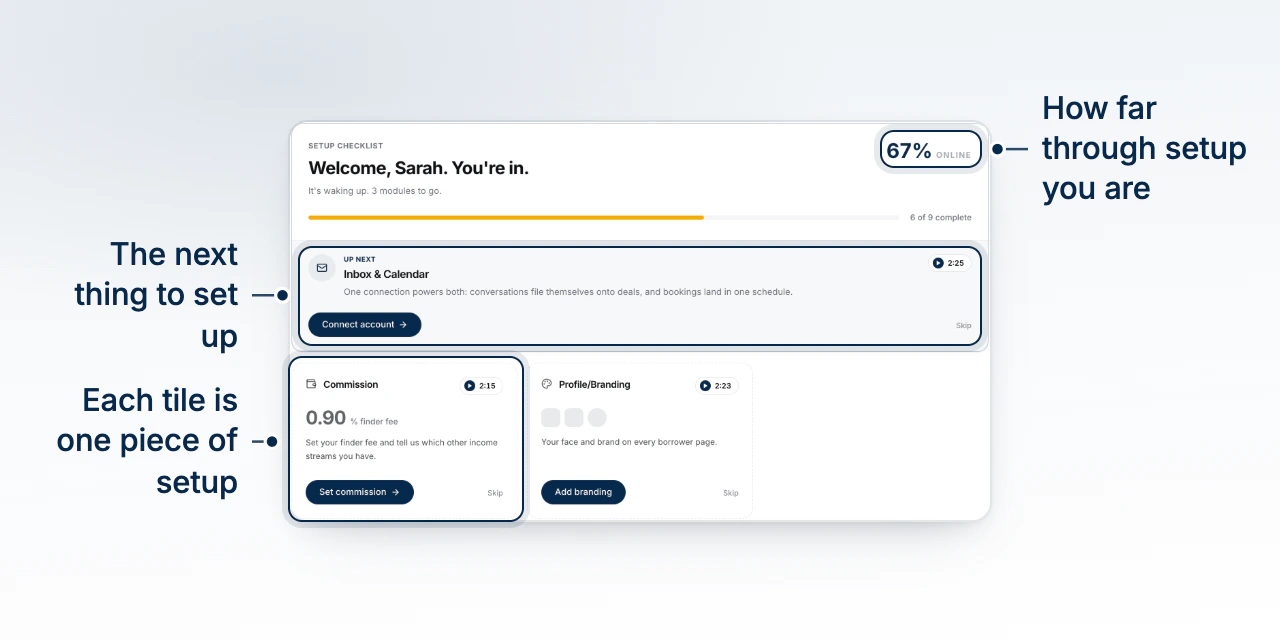
Your Get Started checklist reads your workspace persona by persona. A solo broker's Team step is optional, framed as adding an assistant or underwriter; a principal's is required and reads as bringing agents and staff into the brokerage. Compliance appears only for principals, since a brokerage's AML program covers everyone under it, and Import your book stays a broker's own step rather than something every agent repeats for the same team.
What to Do Next
Continue with The Get Started Checklist. If you oversee a brokerage, look for Understand Roles and Permissions next.