
There are three ways into BrokerPlus: you sign yourself up, you accept an invite from someone already inside, or you follow a setup link from your brokerage. All three end in the same place, with an account and a workspace already built around you.
Where to Sign Up
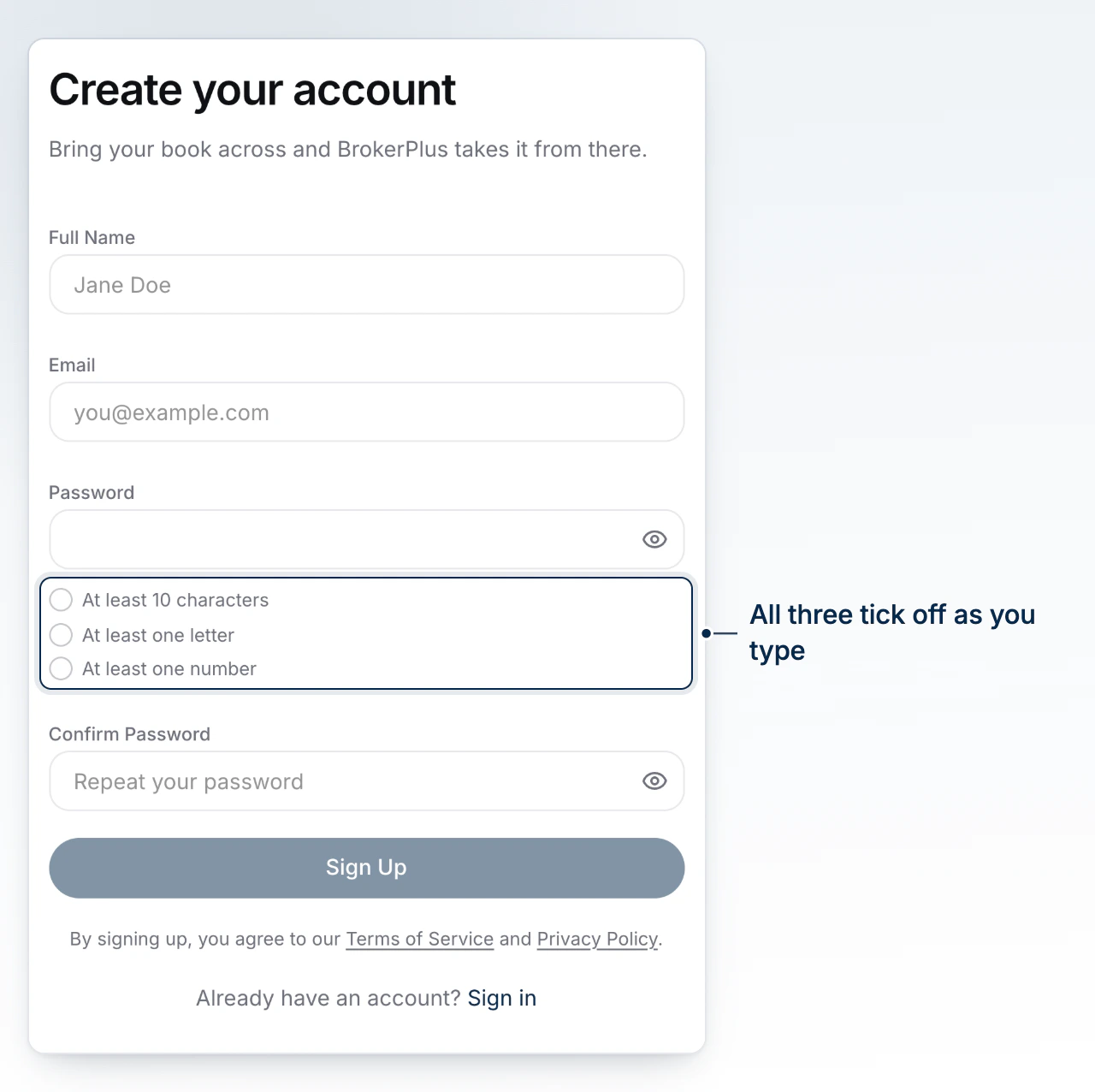
Go to /register. The page is headed Create your account, and the button at the bottom reads Sign Up. If you already have an account, the Sign in link under the form takes you to the login page instead.
What BrokerPlus Asks For
Four fields: Full Name, Email, Password and Confirm Password. The password rules sit live under the field and tick off as you type: At least 10 characters, At least one letter, At least one number. Sign Up stays disabled until all three are met and the two passwords match. Signing up accepts the Terms of Service and Privacy Policy linked below the button.
One account per email address
If the email is already registered, sign up fails with a message saying an account with this email already exists. Sign in instead, or use Forgot password? on the login page.
Joining Through a Team Invite
An invite link opens a page headed Join your team, naming who invited you. The email is fixed to the address the invite was sent to, so you only set Full Name, Password and Confirm Password, then press Accept Invite & Sign Up. Your role, capabilities and team come from the invite, not from you. An invite that has expired or has already been accepted shows Invalid invite with a Go to login button.
Signing Up With a Brokerage Setup Link
A setup link carries your brokerage with it. The sign up page shows a banner reading Join, followed by the brokerage name, and a read only Brokerage field. Your account is created under that brokerage rather than under your own name. Each setup link works once and can carry an expiry date; if it is spent or past that date, the page says so and the button stays locked.
What Is Created the Moment You Sign Up
Signing up creates more than a login. You get an organization (named after your brokerage on a setup link, otherwise after you), your user as its admin, and a team of your own. Onto that team BrokerPlus seeds your default deal boards, starter document request templates and starter automations, plus the lender compensation catalogue. The workspace opens on Toronto time in Canadian dollars, both of which you can change later in settings.
Where You Land Next
Registration signs you in and hands you straight to onboarding, so there is no second login. Accepting an invite drops you on your dashboard, since your brokerage has already been set up.
If you joined through your brokerage's BrokerPlus address and it has its own onboarding calendar, the booking step opens that calendar automatically. You keep the same booking destination if you later sign in through the main BrokerPlus address.