
The Setup checklist is the list of modules that turn BrokerPlus on for you. It reads live state, so a module ticks itself the moment the underlying thing is true, and the whole page steps aside once you are finished.
Where the Checklist Lives
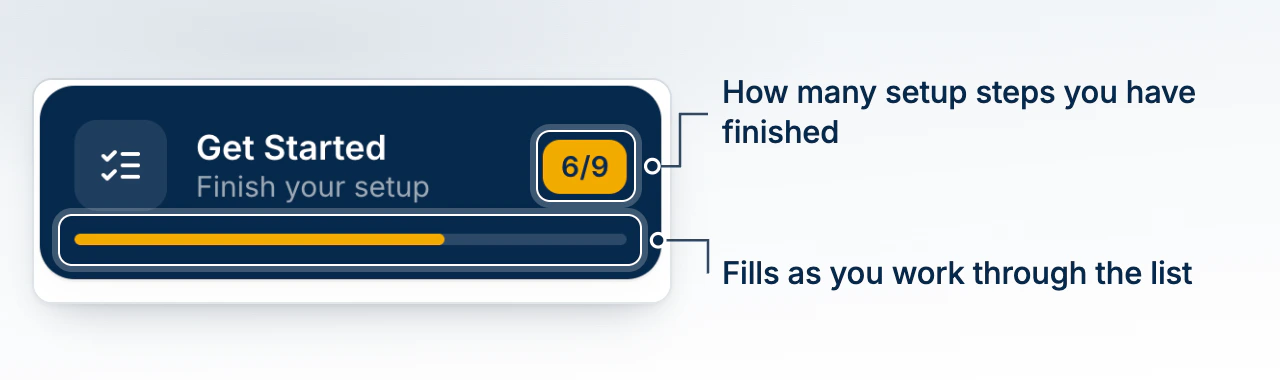
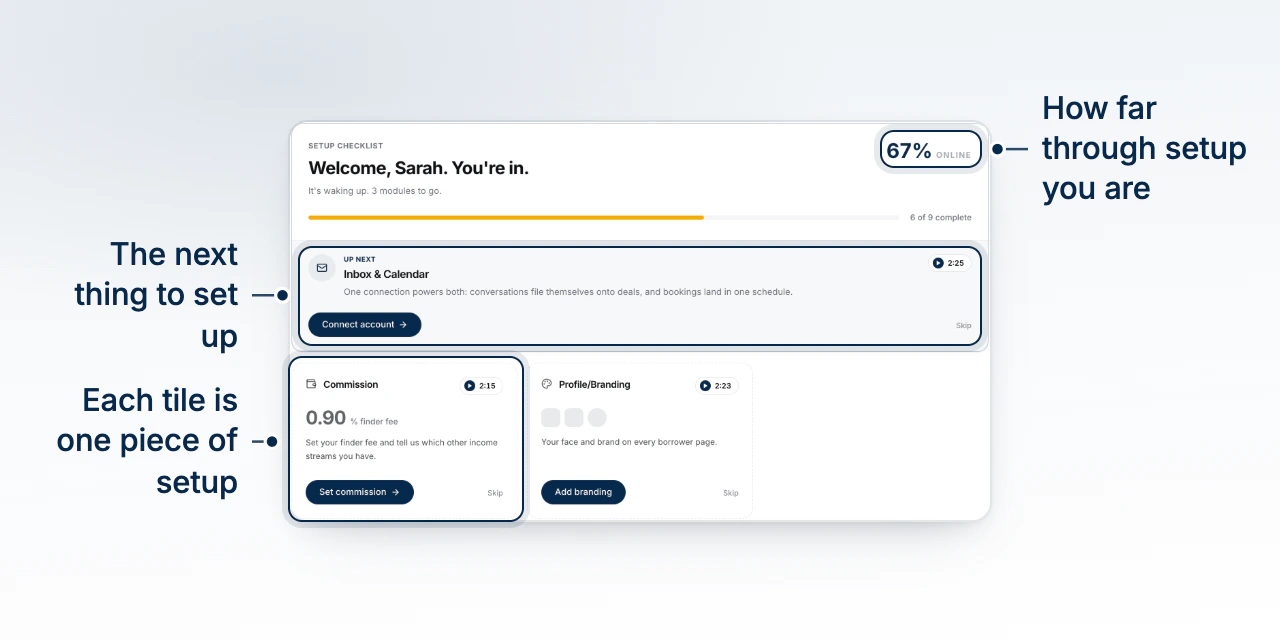
The card at the top of the sidebar, Get Started with Finish your setup under it, carries your count (for example 4/8) and a progress bar. It opens /get-started. The page header shows the same progress as a percentage online and as 4 of 8 complete.
The Modules and What Marks Each One Done
Each module ticks off a real signal, not a visit.
- Inbox & Calendar: an email account is connected.
- Your book: a deal import has finished.
- Phone: you have a number.
- Commission: you have walked the guided commission setup. A fee number on its own is not enough, because every brokerage already carries a default.
- Profile/Branding: a brand colour, a logo, or a headshot is set.
- Team: a second member or a pending invite exists.
- Compliance: your anti money laundering (AML) program setup is finished.
- Your licence: your class and provinces are on file.
- Deals: at least one deal exists.
Once done, the tile replaces its description with what it found, such as the connected provider or the number of deals imported.
Required Modules and What Is Up Next
Every module is required except Phone, and Team is optional if you work alone. The Up next band picks the first required module you have not finished, and falls back to the first unfinished one. Commission is the exception to leaving the page: its button opens Commission setup right there.
Why Your Checklist Differs From a Teammate's
The list is filtered to your role and your brokerage, so your total can differ from a colleague's.
- Compliance is for principal brokers only.
- Your book, Commission, Profile/Branding and Team are for a solo broker or a principal broker.
- Your licence appears only if you hold your team's broker seat, since an assistant or underwriter never presents a mortgage.
Skipping a Module and Watching Its Video
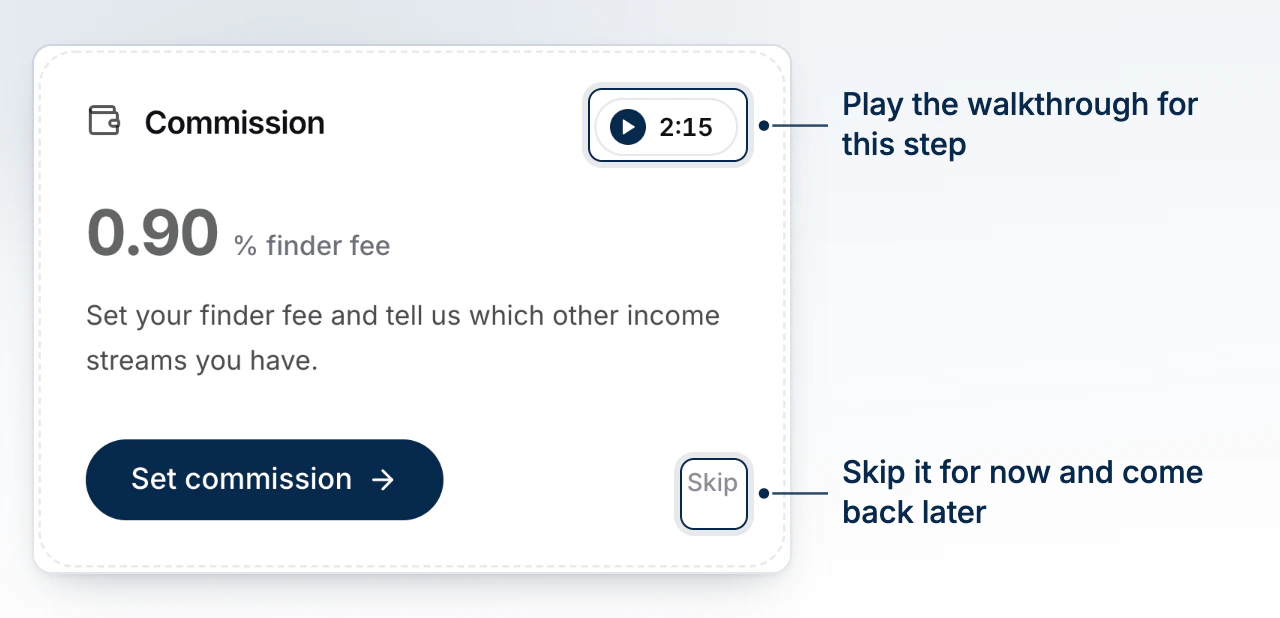
Every tile carries a Skip link. Skipping counts the module as resolved and is saved to your profile, so the tile does not come back. The pill beside each module title plays a short walkthrough and shows its runtime; the panel names the module, whether it is Required or Optional, and its position in your list. A module with no recording shows a Soon pill instead.
When the Checklist Retires
Finish the last module and the page celebrates, then offers Go to your deals. On your next visit it reads BrokerPlus is already online. and the sidebar card is gone for good.
What to Do Next
- What the Setup Wizard Covers to see what was already answered for you.
- Connect Your Email to clear the first required module.
- Set Your Default Commission to finish the commission module.
- Record Your Licence Class to put your class and provinces on file.