
Brokerage > Mortgages is every deal in the brokerage on one board, arranged by status rather than by a team's stages. Open a card to read the file; moves happen on the team's own board.
Who Sees the Board
Brokerage admins. A team's broker works their own book on Mortgages, where the columns are the stages they set up. This board is the view from above it, and it changes nothing about how a team works.
One Column per Status
A team's stages are its own, and two teams rarely name them the same way, so the brokerage board uses the one vocabulary every deal shares: its lifecycle status. The columns are Active, Submitted, Approved, Funded, Closed, Dead and Declined. Cancelled, Expired, Withdrawn and Unknown columns appear only while they hold a card, so a board with four full columns is not eleven wide.
A deal imported with a status word BrokerPlus does not recognise lands in Unknown rather than in a column it does not belong to.
The count and the loan volume of what you are looking at sit in the heading and follow the filters.
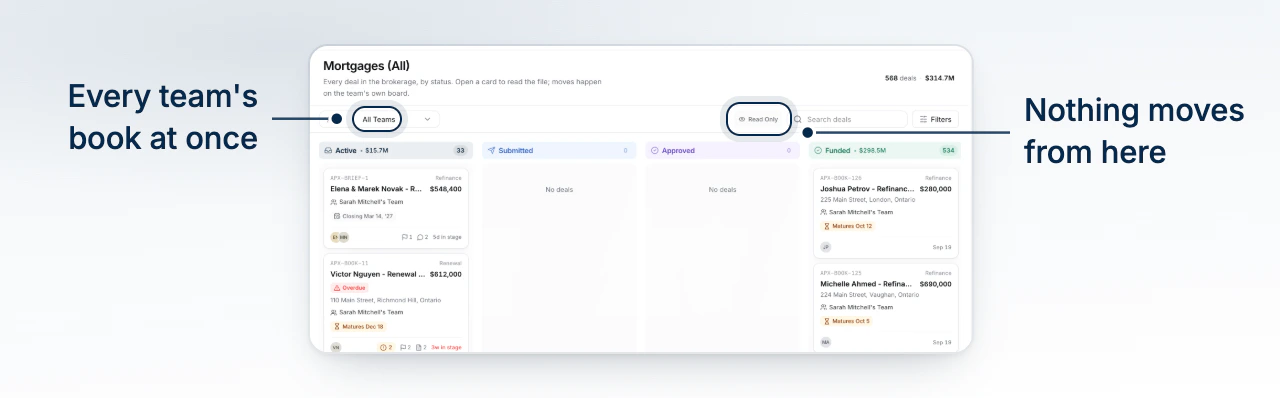
Narrow to a Team, a Broker or a Closing Window
- Pick a team from the Team dropdown, or leave it on All Teams.
- Open Filters to narrow by deal type, assigned broker, closing window or mortgage amount.
- Type in Search deals to find a file by name.
- Select Clear on the filters panel to return to the whole brokerage.
Opening a File
Select a card to open the deal. If the deal belongs to a team you do not run, BrokerPlus switches you into that team first, so the file opens rather than answering that it cannot be found. You read the whole record; you change none of it. Open Another Team's Deal Read-Only covers what that looks like.
Why Nothing Moves Here
Cards on this board do not drag. A status is set by the lifecycle actions on the deal itself, by the broker whose file it is, and a stage belongs to that broker's own board. A brokerage view that could move a deal would be a second hand on every team's work, and the teams would not see it happen.
For numbers, not cards
The board answers "what is where". For the value of the pipeline and the funded book by broker, use Read Brokerage Revenue and the overview page.
What to Do Next
- Open Another Team's Deal Read-Only for what a file looks like from the brokerage.
- How Boards, Stages, and Status Fit Together for why status, not stage, is the shared vocabulary.