
Once the brokerage line is claimed, Brokerage > Phone is where you decide who it rings, in what order, and which caller reaches which person - the roster's ring order, and routing rules that can skip straight to someone specific.
When You'd Use This
Use this once the brokerage number is live and more than one person answers it. With a single broker on the line, order barely matters. Add a second or third, and the ring order plus a few well-aimed rules keep a call from bouncing around before landing.
Reading the Call Path
The strip at the top of the page shows what happens to a call, left to right: hours, ring order, receptionist, routing rules, last resort. Rules run on the receptionist's handoff, not the ring order - separate stages, not competing paths. Set the receptionist to answer first and that stage moves to the front: it takes the call, a rule decides who it goes to, and only then does anyone's phone ring.
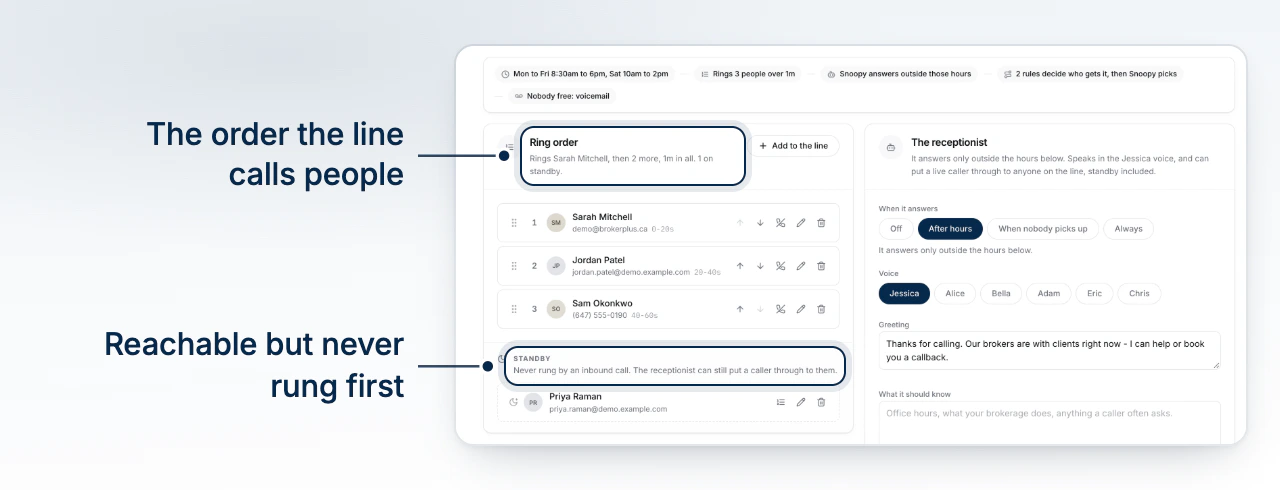
The Ring Order and Standby
Ring Order lists who the line calls, and in what order, when no routing rule sends a caller somewhere specific. Drag to reorder, add a teammate from the roster picker, and set whether their own number or a forwarding number rings. Each seat has its own timeout (5 to 120 seconds); the roster shows the running total per seat, like 0-20s then 20-45s.
Standby is a separate group below the ring order, not a lower spot within it. Someone on standby can still be named directly in a rule or reached by the receptionist, but a plain inbound call skips them - a way to keep someone reachable without ringing on every call.
Writing a Routing Rule
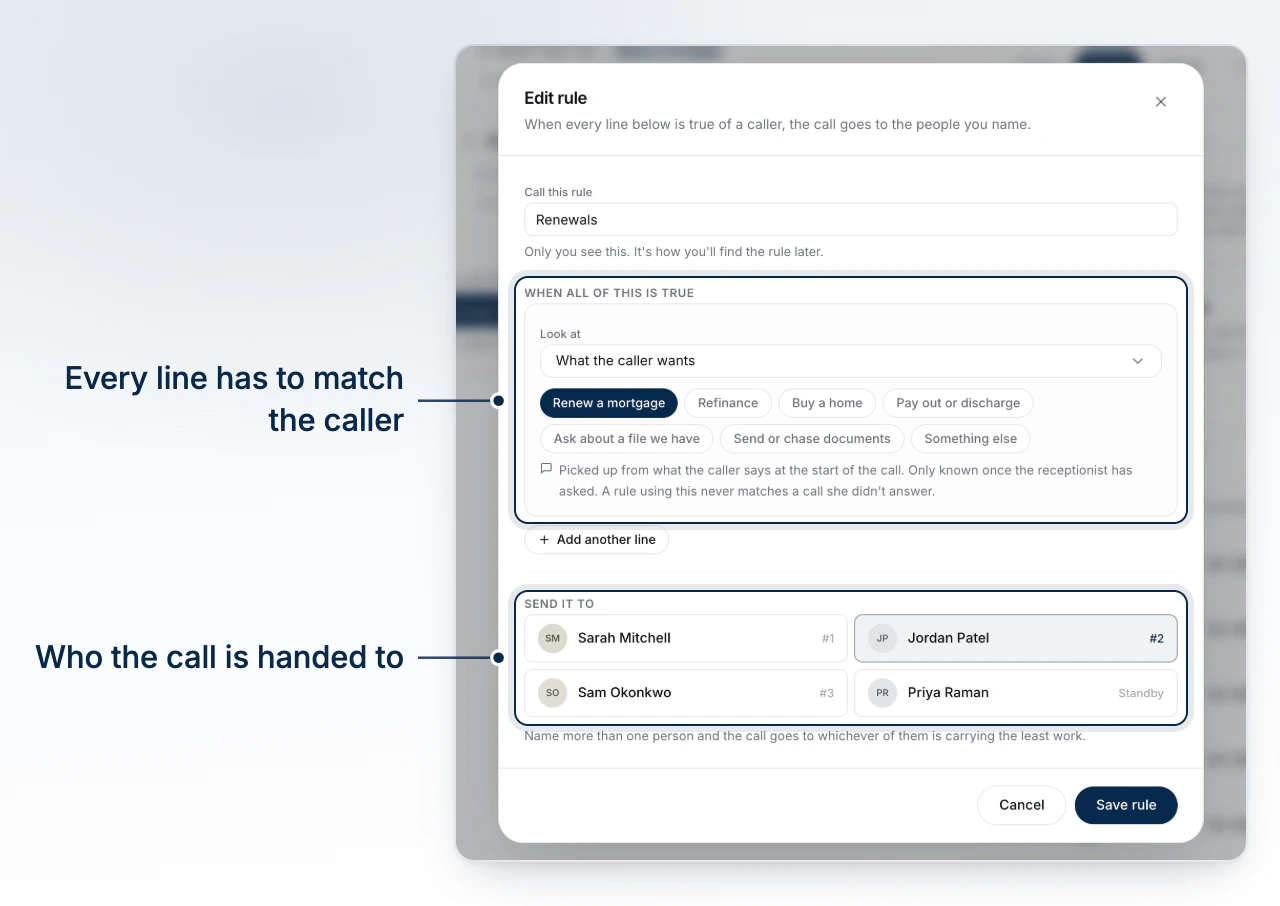
A rule pairs conditions with a list of people to send the call to. Conditions split into two families: what the caller says (their intent - renewal, refinance, purchase) which only exists once the receptionist has asked; and facts about the caller (caller type, province, area code, an active deal), known from the number before anyone picks up.
Rules run top to bottom and the first fit wins - the rest are skipped. Reorder them like the roster. If nothing matches, the fallback decides: the receptionist's classifier picks someone, or the call goes to whoever is first in the ring order.
Common Gotchas
A rule can name someone who can't actually take the call. Every roster member has a transfer-eligible flag, and a call is only ever handed to someone marked eligible. A rule naming someone who isn't looks normal - same label, same conditions - it just never sends a call anywhere. If everyone on that rule is ineligible, it fires and reaches nobody.
Spoken-fact rules go dead when the receptionist is off
A rule built on what the caller says can only match if someone actually asked - which only happens while this line's receptionist is answering. Turn it off in Set Up Team Phone and any rule using a spoken fact is stranded, with nothing left to have captured what the caller said. The routing card shows a warning banner counting exactly how many rules that affects, worth a look right after you flip that switch.
A roster member who has left the line still shows up on a rule that named them, flagged as no longer on the line rather than silently vanishing - your cue to swap in someone current.
What to Do Next
- Set Up Team Phone covers claiming the number, hours, and the receptionist.
- Meet Ann introduces the assistant behind the receptionist and classifier fallback.
- Set Up the Receptionist covers the personal-line receptionist spoken-fact rules depend on.