
Brokerage > Phone claims one number that belongs to the brokerage, not any single broker. Once claimed, this page sets the hours it's open and decides what happens on a call nobody on your roster picks up.
When You'd Use This
Use this if your brokerage wants one published number - the one on your website or business cards - rather than routing callers to an individual broker's line. It's brokerage-level, visible only to an owner or admin, and separate from the personal number each broker can claim.
Claiming a Number
If the brokerage hasn't claimed a number yet, this page is a search box. Type a Canadian area code (or open Refine to search by city, province, or a digit pattern) and BrokerPlus lists available numbers to claim. If nothing is left in that area code, results widen to a nearby overlay code and say so.
Once claimed, the number sits at the top of the page and copies with one click. A brokerage only ever holds a single main line at a time.
Setting the Hours and Time Zone
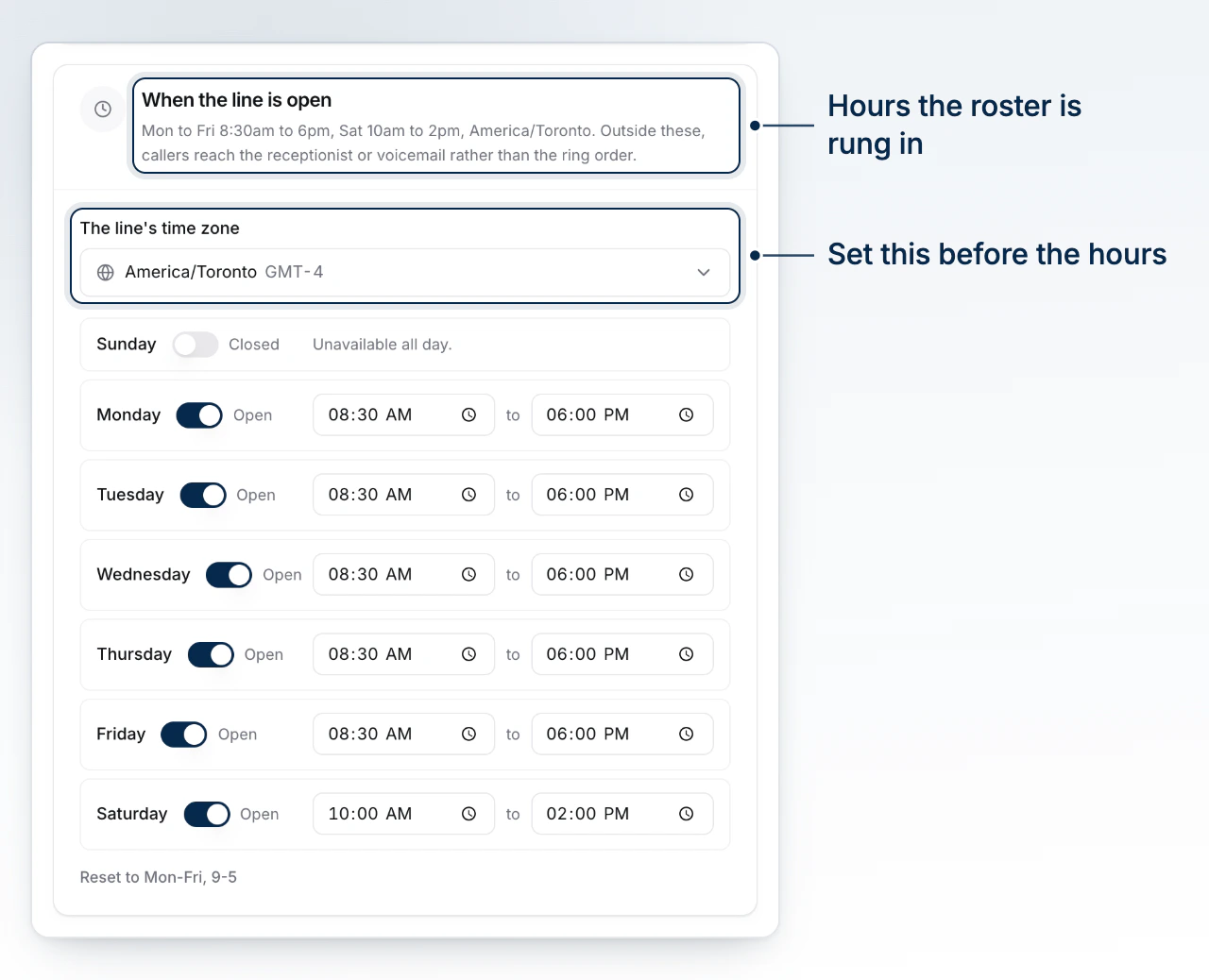
Under When the Line Is Open, pick the brokerage's time zone first - business hours are read against it, so setting hours before the zone reads wrong later. Then set each day's open and close time, or mark it closed. Every change saves on its own; there's no separate save step.
How the Receptionist Answers
This is a different receptionist from the one on your personal line, covered in Set Up the Receptionist. This one answers for the brokerage number, and its settings live here.
Pick a mode: off, after hours only, only when nobody in the ring order picks up, or always first. "Always" reorders the whole call - the receptionist takes it before anyone's phone rings, rather than after.
Each voice persona has its own name and sample line, so you can hear it before committing.
The greeting is the opening line a caller hears. What it should know is the longer field, built for pasting in a script your brokerage already runs: hours, what it does, how to route different asks. It holds much more than the greeting on purpose.
Choose how soon the receptionist offers to have someone call the caller back: 15, 30, 45 minutes, or an hour.
The Last-Resort Number
Below the receptionist settings is a single field: the number to forward to when nobody on the line can be reached. It's not part of the ring order and isn't strictly required, but set it deliberately - it's what a caller reaches once every option in the call path has been tried.
Releasing the Line
At the bottom of the page, Release This Number gives the number back. Calls stop immediately once you confirm, and the number isn't held for you - releasing is one-way, so treat it as a last resort rather than a way to pause the line.
Releasing takes the number away from everyone
Every broker's roster entries, ring order, and routing rules are tied to this one line. Releasing it does not just remove a phone number, it removes the brokerage's shared call path entirely.
What to Do Next
- Route Calls on Team Phone covers the ring order and the rules that decide who gets a call once it lands.
- Claim a Phone Number walks through claiming a personal line, if what you need is your own number rather than the brokerage's.
- Set Up the Receptionist covers the personal-line receptionist, configured separately from the one on this page.