
Deleting a contact does not erase their file. It leaves your active book, keeps everything that matters, and can be undone.
What Delete Keeps
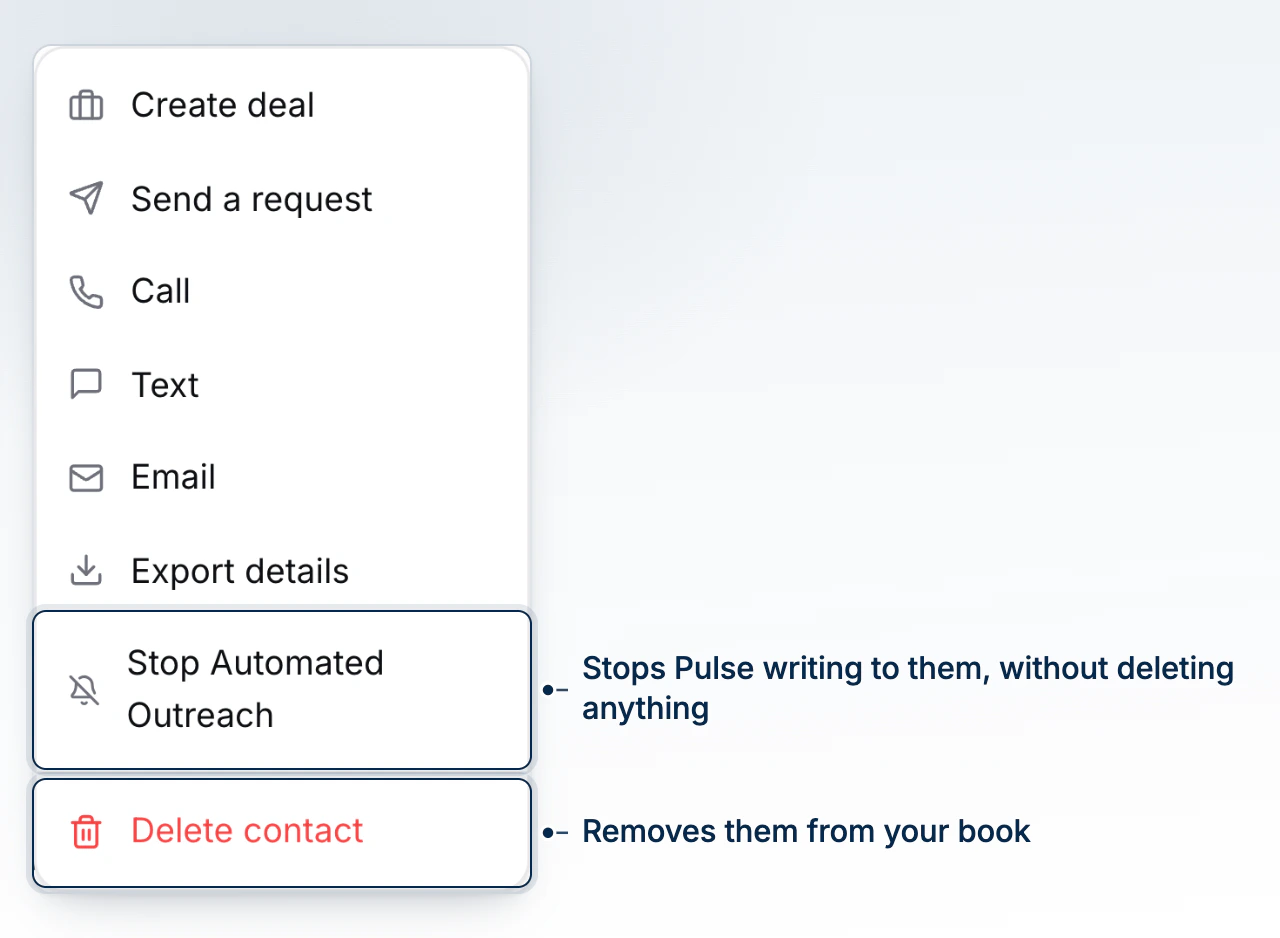
Deleting a contact archives the record rather than erasing it. Their deals, notes, and documents all stay exactly as they were, and a deal still in flight keeps moving - deleting the person attached to it does not close it. The contact also stays matchable: an import checks your book by email before creating anyone new, so re-uploading this person later finds the same record instead of minting a duplicate.
Deleting From the List or the Profile
From the CRM list, select one or more contacts in the Active book and choose Delete from the bar that appears. From a contact's own profile, open Actions and choose Delete contact; the confirmation names any deals still in flight and reminds you the person can be restored afterwards. Either way the record leaves the active book right away.
Finding Deleted Contacts
Switch the Book toggle near the top of the CRM page from Active to Deleted to see everyone you have removed. The count and the filters work the same as the active book - deleted contacts just sit in their own set rather than mixed into everyone else's.
Restoring a Contact
Select a deleted contact from that Deleted book and choose Restore, or open the contact's own profile: a banner across the top states when they were deleted and offers a Restore button right there. Either way the record returns to the active book with everything it kept intact.
Deleting a Lead Is Different
Deleting a lead is not the same action, even though the button reads the same. It removes the lead from your funnel for good - there is no restoring it - but the underlying contact record stays in the CRM untouched. Use it when the lead itself was a mistake, not as a way to remove someone from your book; deleting the contact is what that is for. If a client you expect to see is missing from a list rather than deleted on purpose, check the reasons that can hide a record from view before assuming it was deleted.
What to Do Next
Continue with Merge Duplicate Contacts if deleting was meant to fix a duplicate, or Find a Contact With Filters and Facets to locate someone in either book.