
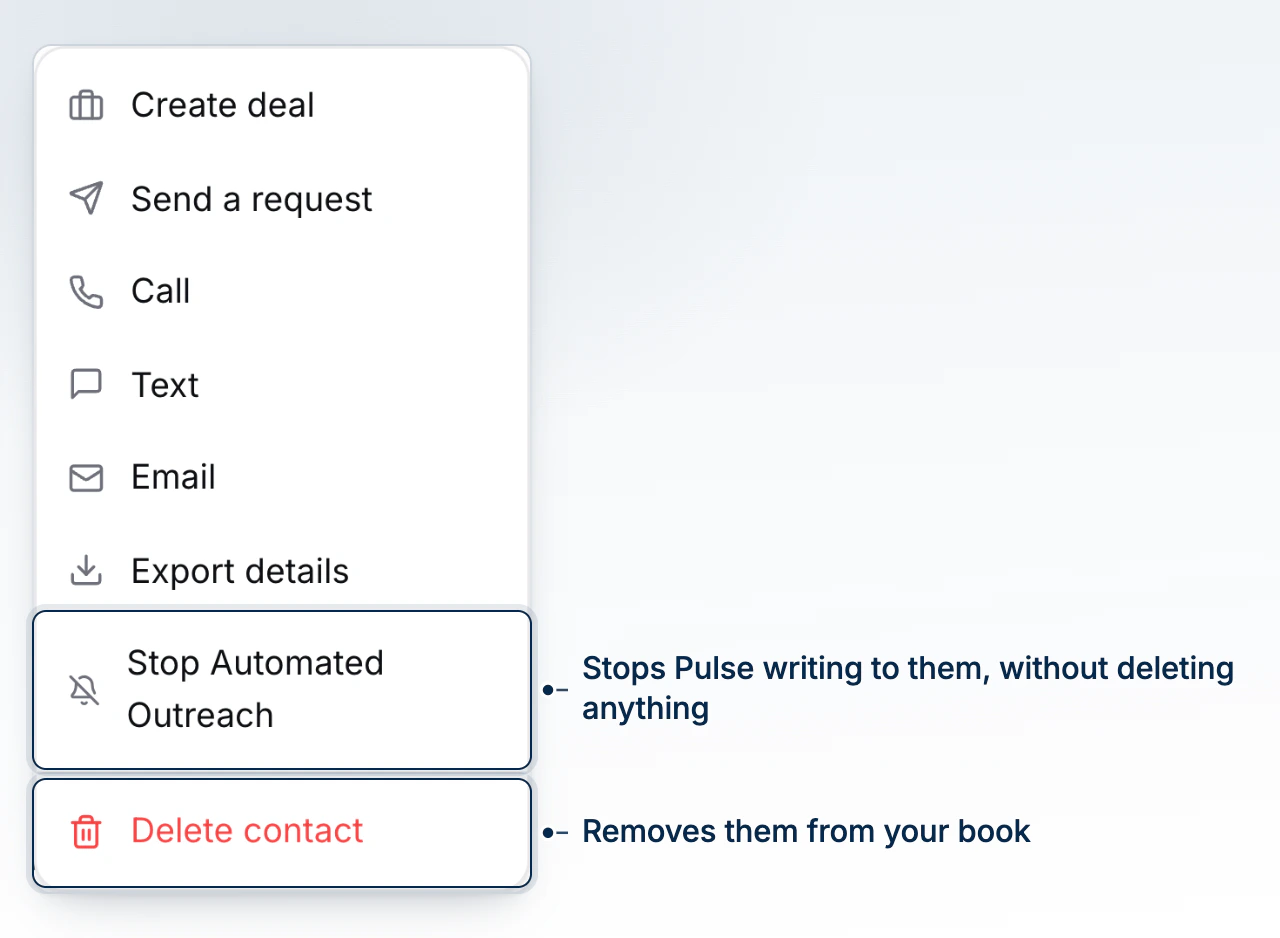
Stopping automated outreach pauses Pulse, equity reports, and marketing campaigns for one contact, without touching consent settings or suppression that apply across the brokerage. It lives on the contact's own Actions menu because it's a decision about this relationship, not a brokerage-wide policy change.
When You'd Use This
Use it when a client asks you directly to stop hearing from the system for a while, or when something about their situation, a complaint, a sensitive moment, a request they made by phone, means automated messages shouldn't keep going out while you handle things manually. It's scoped to this one contact, so it won't touch anyone else's book.
What This Pauses, and What It Does Not
Turning it on stops three things: Pulse automations and follow-ups, recurring equity reports on their properties, and marketing campaigns. What keeps going: document reminders, intake follow-ups, signing confirmations, and surveys tied to work already in progress, plus any email or text you send yourself.
What it does not do is record an unsubscribe. The client's own email preferences (see Record a Client's Consent) are left exactly as they are - this is a broker-side pause, not a client-side withdrawal, so resuming later doesn't mean re-collecting consent. It also doesn't override an existing property-specific stop, and it doesn't affect a co-applicant on the same file who hasn't been stopped individually.
Turning It On for a Contact
Open the contact, choose Actions > Stop Automated Outreach, and confirm with Stop Outreach. A message already handed to a delivery provider can't be recalled, and a campaign recipient already scheduled for an email or text is caught by the stop once BrokerPlus processes it.
Turning It Back On
Choose Actions > Resume Automated Outreach, then confirm with Resume Outreach. Two things still apply on top of the resume: any property-specific stops already in place, and the client's own email preferences. Messages skipped while outreach was paused are not resent, so resuming picks up from here forward, not from where it left off.
Common Gotchas
- This is per-contact, not brokerage-wide. If you're building or testing an advanced Pulse automation and want nothing to reach any client while you work, use Hold Everything in Read-Only Mode instead, which is a broker- or team-level switch, not a per-contact one.
- Pausing outreach doesn't touch the client's consent record. If they've actually asked to unsubscribe or withdraw consent, record that separately so it holds even after you resume outreach for this contact.
- Skipped messages are gone for good. There's no queue of what didn't send while the contact was paused.
What to Do Next
- Record a Client's Consent if the client has also asked to change what they're subscribed to, not just pause for now.
- Hold Everything in Read-Only Mode for a brokerage- or team-wide hold instead of a single contact.
- Tour the Contact Profile to see where this sits alongside the rest of the record.