
Nobody knows where a variable rate is headed over a five-year term, so the fixed-vs-variable calculator does not pretend to either. It quotes both sides on the same mortgage and lets the broker set the rate path the variable side has to survive.
Setting Up the Comparison
Attach a deal or enter the mortgage principal and amortization directly, then pick a term of one to ten years and enter the fixed rate quoted and the variable rate on offer today. Both sides start from the same principal and amortization, so the entire difference in the result comes from the rate story, not from a mismatched setup.
Choosing a Rate Scenario
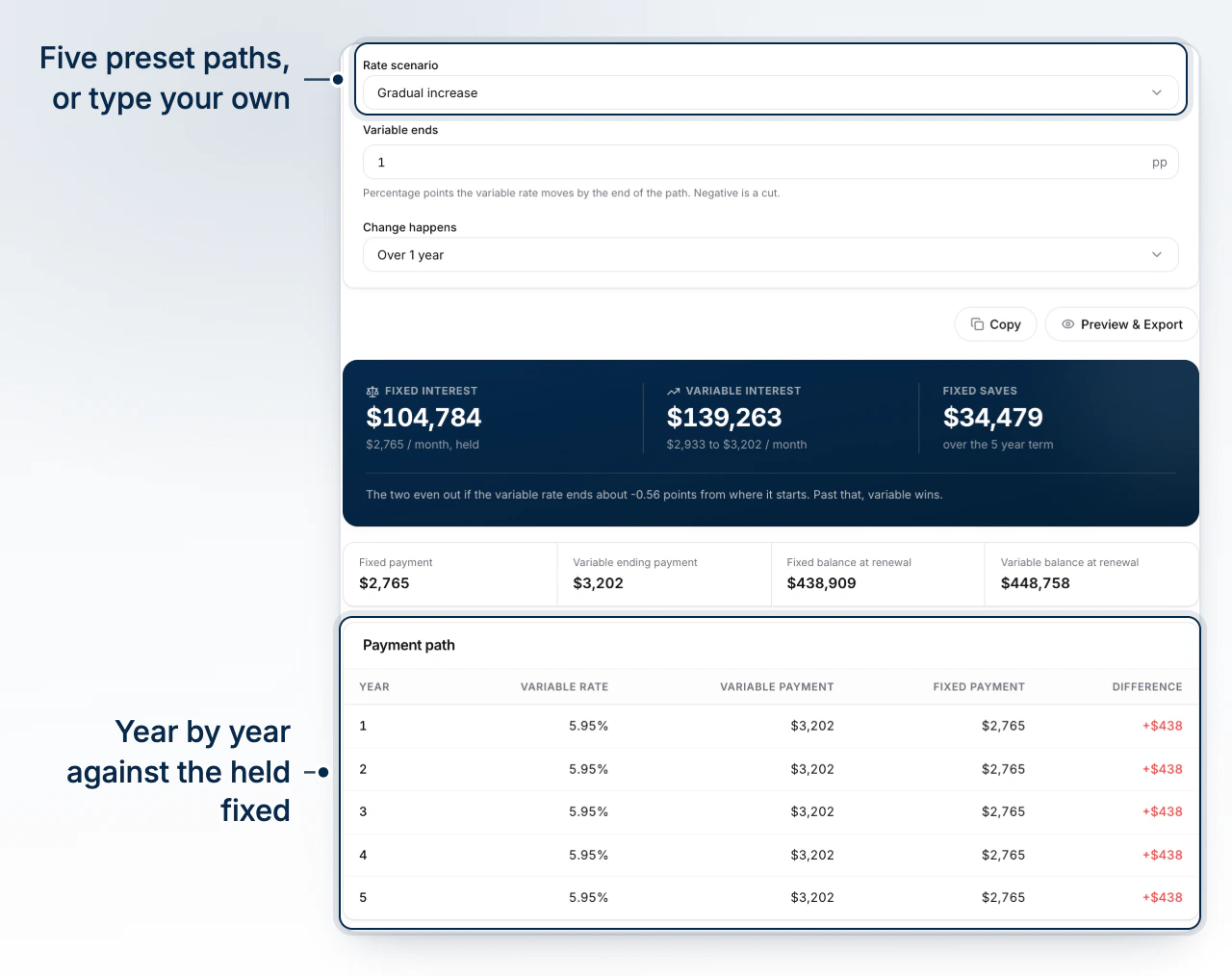
The variable side needs a rate path, since nobody is quoting a fixed number for it over the term. Five scenarios cover the conversation: no change, gradual cuts, a gradual increase, a sharp increase, or a custom move typed in directly. Picking a preset also sets how many points the rate ends up moving by; typing a different number switches the scenario to custom on its own, so the selector never claims a shape the figure no longer matches. A separate setting controls how fast that move happens, immediately, over one year, over two years, or over five, which matters as much as the size of the move for a shorter term.
Reading the Payment and the Balance at Renewal
The fixed side holds one payment for the whole term. The variable side is modelled as an adjustable-rate mortgage, so whenever the rate path calls for a move, the payment is re-struck over the remaining amortization rather than left to drift, which is the version of variable most Canadian lenders actually sell and the one a client will feel in their account. The result shows interest paid over the term, the balance still owing at renewal, and which side comes out ahead. Where the numbers are close, the calculator also names the rate change at which the two sides cost exactly the same, so a client can see how far the variable rate would have to move before the decision flips.
What the Comparison Assumes
Fixed compounds semi-annually and variable compounds monthly, the actual conventions behind each product, so the two are never flattened onto one rate basis. Neither side carries prepayments, fees, penalties, or rate caps. Above all, a rate path is a chosen scenario, not a forecast. Run the path that would actually worry the client, not only the one that flatters the recommendation.
Walking a Client Through It
Start with the no-change scenario so the client sees the honest starting gap between the two rates, then move to whichever increase or cut scenario matches what they are worried about. The year-by-year payment path makes a gradual rate move concrete, showing the variable payment climbing or falling against a fixed payment that never does. Export the result from Preview & Export once the client has seen the scenario that matters to them.
What to Do Next
Use Manage the Rates Page to keep the fixed and variable rates you quote current before running the comparison.