
Estimate the cost to break a mortgage, compare the result with refinance options, and download a client-ready PDF. Treat every result as an estimate to confirm against the lender's payout statement.
Enter the Mortgage Details
Start standalone or attach a deal for a one-time prefill of available lender, rate, balance, remaining term, and product type.
- Enter the minimum fields: Current Rate, Balance, and Remaining Term.
- Refine the estimate with lender, product, open or closed state, new rate, original term, discount, and Switch Cashback.
- Review the estimated penalty and compare available refinance options.
- Choose the financing mode and pin lender choices you want to keep visible.
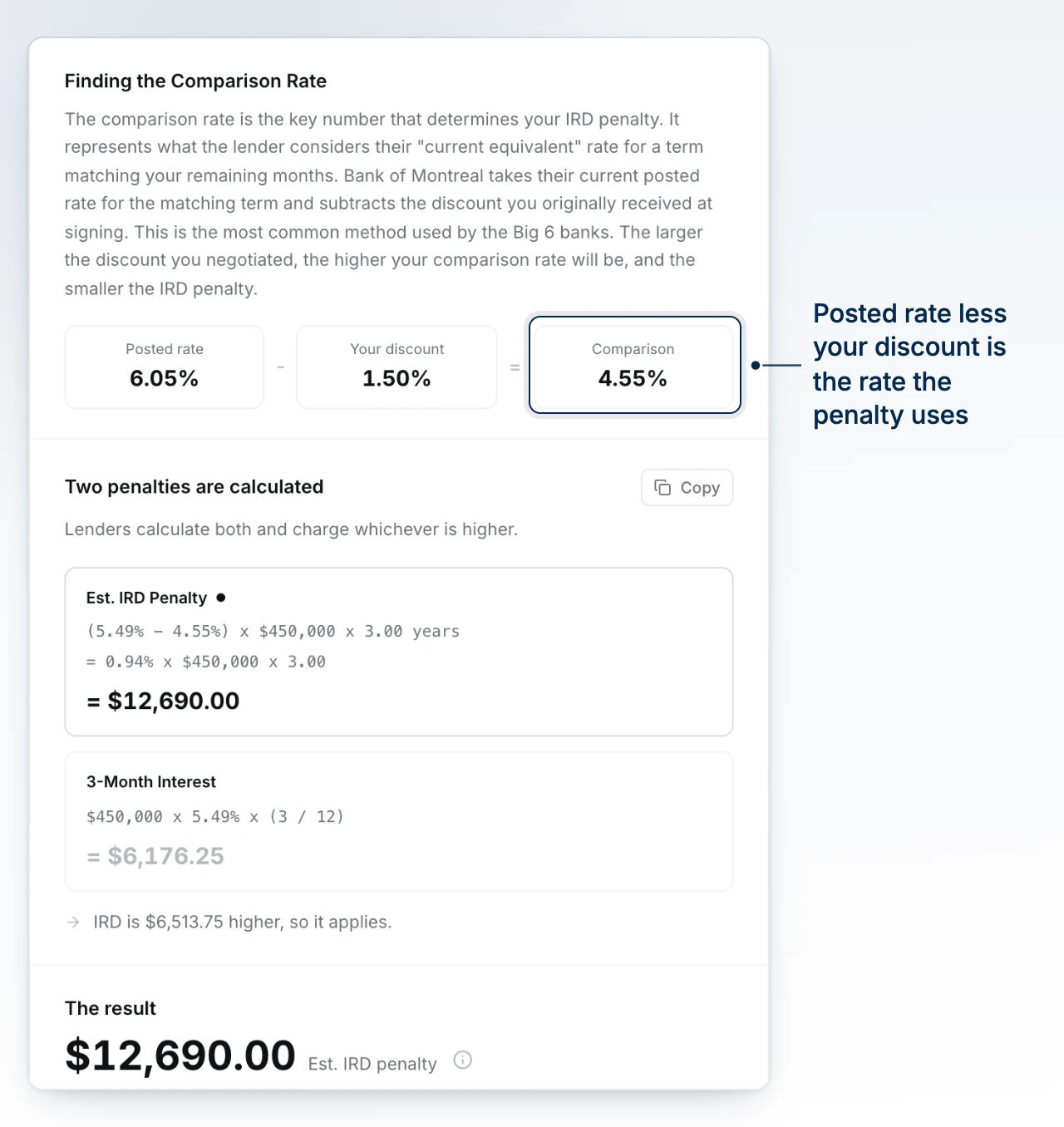
Discount is the discount from the posted rate when the mortgage was signed. Switch Cashback is an incentive from the new lender. It offsets the break cost and increases estimated net savings, but it does not change the existing lender's penalty.
Read the Estimate
- Open or matured mortgages return zero.
- Variable and other non-IRD products use their applicable formula.
- Fixed mortgages at IRD lenders use the higher applicable estimate.
The calculator shows which approach was used. Confirm lender-specific terms, fees, and the final payout amount before presenting the number as exact.
Use History and PDFs
Recent history is stored only in the current browser and keeps up to three calculations. The active history entry updates as you change its inputs.
Before downloading, preview the available sections and turn off anything the client does not need. Choose Penalty Result for the focused estimate or Refinance Analysis for the fuller comparison.
BrokerPlus downloads the PDF for you to share. It does not email the PDF automatically.
What to Do Next
Continue the conversation from Use the Contact Profile so the estimate stays connected to the client relationship.