
A deal's stage and a deal's status are two different things. Dragging a card to a "Complete" or "Not Proceeding" column only moves it - ending a deal is a separate, named action, so a card can sit in a closing column without the deal itself being funded, closed, or dead.
Why Dragging a Card Does Not End a Deal
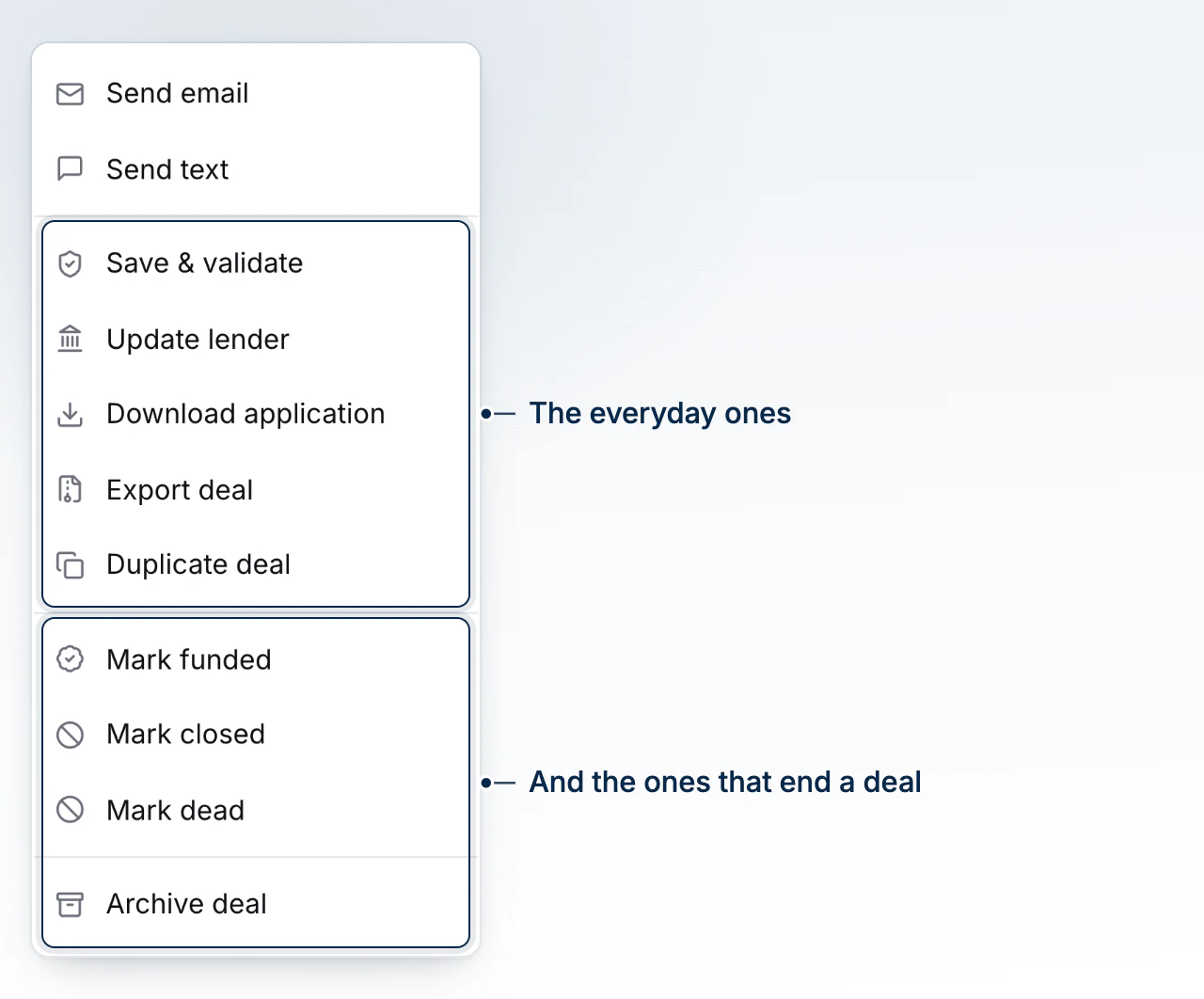
A board move writes only where the card sits. Marking a deal funded, closed, or dead is done from the deal's own Actions menu instead, because ending a deal runs a compliance check, stamps the date it happened, and starts closing-related work - none of which a drag should trigger by accident.
Marking a Deal Funded
Mark Funded is one of three closing actions on an active deal, alongside Mark Closed and Mark Dead. Funding is the one that carries the most weight: it's the moment your volume and revenue reporting count the deal, and the moment the compliance gate below runs.
The Compliance Gate on Funding
Before a deal can be marked funded, BrokerPlus checks that its compliance paperwork is complete. If something's outstanding, you're shown exactly what's missing per party rather than a bare refusal. Where the gap is paperwork only - the screening happened elsewhere, on another platform or on paper - Mark Funded Anyway clears it, and the deal is marked funded with a record of what was still outstanding at the time, against your name. A genuine sanctions match is never overridable this way; nothing in this dialog can clear one.
Moving the Client Into the Home They Bought
When a purchase you own funds and the file says the borrowers occupy the property, you're asked whether to make it their primary address - the old one moves to their profile as a previous address. You choose which borrowers actually moved in, since a co-applicant who kept their own place shouldn't be relocated on paper. Turn this on to stop being asked and have it happen automatically from your account settings; turned off, you're asked every time a purchase funds.
Marking a Deal Closed or Dead
Mark Closed and Mark Dead are the other two outcomes. Neither runs the funding compliance gate, since neither claims the deal closed with money changing hands. Marking a deal dead also pauses the periodic re-screening on its borrowers - there's no live file left to monitor until it comes back.
Reopening a Deal
Reopen Deal is offered only on a dead deal; a funded or closed deal has no reopen action; the file needs no fixing. Reopening returns the deal to active on its board's first stage and restores each borrower's screening to exactly the cadence it held before the deal went dead, so a manual cadence override survives the round trip rather than being recalculated from scratch.
What to Do Next
- Archive and Restore a Deal for taking a deal off the board entirely rather than ending it.
- Record Commission on a Deal once a deal funds.
- How Boards, Stages, and Status Fit Together for the fuller picture of stage versus status.
- Run a Screening on a Client to see what the compliance gate is checking.